.webp)
When you send a blue bubble message and “Delivered” doesn’t appear underneath, it can feel confusing or even worrying. The good news: in most cases, the issue is temporary and fixable. This guide explains how iMessage delivery works, the most common causes of missing delivery status, and step by step fixes that actually work.
How iMessage Delivery Works
- Blue vs. green. Blue bubbles = iMessage via Apple’s servers. Green bubbles = SMS/MMS via your carrier. Only iMessage can show “Delivered” and “Read.”
- When “Delivered” appears. The badge shows after Apple successfully hands your message to at least one of the recipient’s Apple devices that’s online and signed in to iMessage.
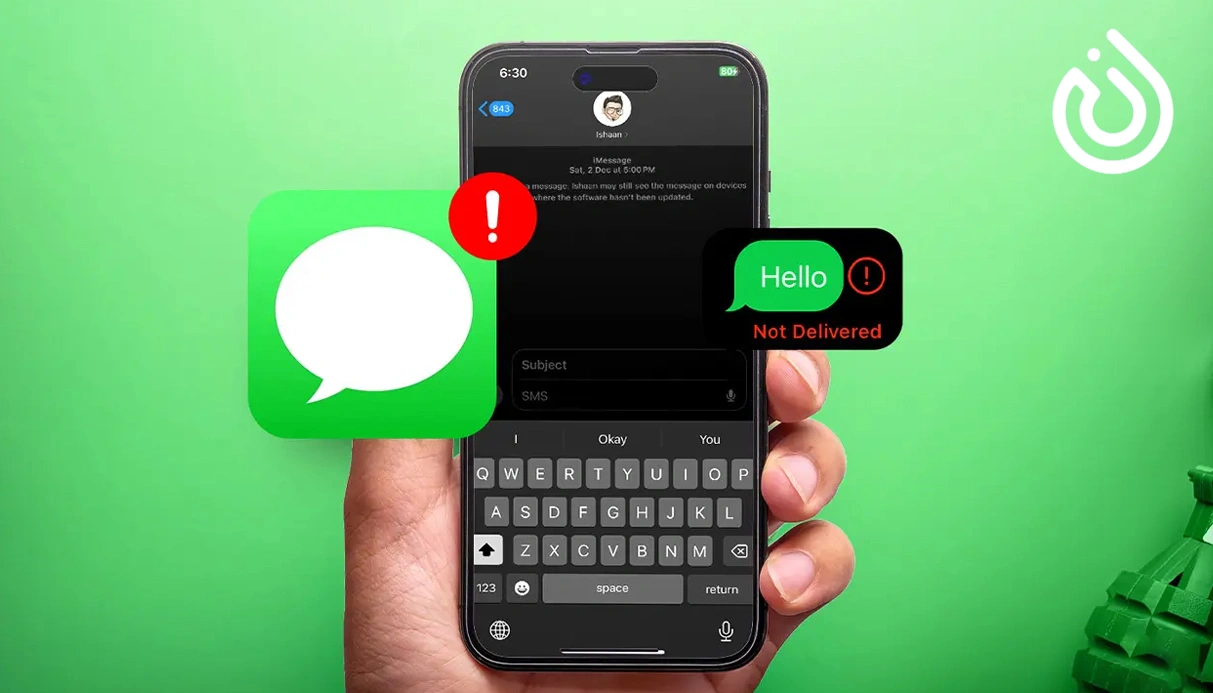
- No “Delivered.” This usually means the recipient is offline, iMessage is disabled (on your side or theirs), the message fell back to SMS (green), or there’s a connection/activation hiccup.
- “Read.” You’ll only see “Read” if the recipient enabled Read Receipts and opened the thread.
12 Common Reasons You Don’t See “Delivered”
- Recipient is offline (phone off, battery dead, airplane mode, no signal).
- iMessage is off for the recipient, or they recently signed out of Apple ID.
- Your message fell back to SMS/MMS (green bubble), which doesn’t show “Delivered” inside Messages.
- Focus / Do Not Disturb is enabled on the recipient device (delivery may be delayed).
- Recent SIM/eSIM/number change their or yours so iMessage hasn’t re registered yet.
- iMessage activation pending on your iPhone (stuck on “Waiting for activation”).
- Weak or unstable internet on your side (iMessage needs data/Wi-Fi).
- Apple System Status outage affecting iMessage (rare but possible).
- You’re blocked (not definitive, but persistent no delivery with one contact can hint at it).
- Group thread includes non iMessage users, forcing MMS without receipts.
- Outdated iOS or carrier settings causing compatibility issues.
- Wrong date/time on your phone, which can break secure sessions.
Quick Fixes (Try These in Order)
- Toggle Airplane Mode on for 10 seconds, then off (resets radios).
- Confirm internet. Load a web page. If Wi-Fi is flaky, switch to cellular, or vice versa.
- Check Apple’s System Status (search “Apple System Status iMessage”). If it’s down, it’s not you.
- Restart iMessage session
Settings ▸ Messages ▸ iMessage → Off (wait 15 seconds) → On.
Tap Send & Receive and ensure your phone number and Apple ID are checked.
- Reboot your iPhone. It re initializes the iMessage handshake.
- Resend as iMessage. Long press the message ▸ Try Again (or resend after reconnecting).
- Update everything.
Settings ▸ General ▸ Software Update
Settings ▸ General ▸ About (wait for a Carrier Settings Update prompt).
- Auto Date & Time. Settings ▸ General ▸ Date & Time ▸ Set Automatically.
- Sign out/in of Apple ID (Messages only).
Settings ▸ Messages ▸ Send & Receive ▸ your Apple ID ▸ Sign Out → reboot → sign in.
If “Delivered” returns for other contacts but not one specific person, the issue is likely on their device (or you might be blocked).
Special Cases: SIM/eSIM or Number Change
- Go to Settings ▸ Messages ▸ Send & Receive and confirm your current number appears and is checked.
- If only your email shows, toggle iMessage off/on and wait for activation (can take a few minutes).
- Dual SIM users: in the conversation header, confirm the correct line is used for iMessage.
Group iMessage vs. MMS
In mixed groups (where at least one member isn’t using iMessage), iOS can switch to MMS, which doesn’t display “Delivered” or “Read” inside Messages. If delivery tracking matters, start a new group with iMessage only participants.
Am I Blocked?
There’s no official “you were blocked” alert. Cautious signs include:
- Messages remain blue but never show “Delivered” for days, while other contacts do.
- Calls go straight to voicemail repeatedly; FaceTime doesn’t ring.
- The contact is usually online but you never see status.
It can still be battery, signal, or iMessage off don’t jump to conclusions. Try later or reach them via another channel first.
.webp)
Troubleshooting Table (At a Glance)
| What to Do | Likely Cause | Symptom |
| Wait, then try again; ask them to check connection | Recipient offline / Focus on | Blue bubble, no “Delivered” for minutes |
| Restore data/Wi-Fi, toggle iMessage, resend | iMessage failed → SMS | Bubble turned green |
| Have them toggle iMessage/reboot; try another channel | Contact-specific issue or block | Works with others, not one person |
| Toggle iMessage, auto time, sign out/in Apple ID | iMessage not registered | Activation stuck / number missing |
| New iMessage-only group or accept no receipts | MMS fallback | Group shows no receipts |
| Update iOS/carrier; stabilize connection | Weak network or old software | Sporadic issues |
Advanced Resets (If Nothing Else Worked)
- Reset Network Settings
Settings ▸ General ▸ Transfer or Reset iPhone ▸ Reset ▸ Reset Network Settings.
You’ll lose saved Wi-Fi passwords; rejoin networks afterward.
- Sign out of iCloud on device, reboot, sign back in (deep refresh of services).
- Carrier check. If SMS/MMS also fail, ask your carrier to re provision messaging.
- Apple Support. If activation won’t complete or your number won’t register, Apple can trace it.
Prevention Tips
- Keep iOS and carrier settings updated.
- Leave Date & Time on Automatic.
- After SIM/eSIM changes, give iMessage a few minutes to re activate before testing.
- In Send & Receive, prefer sending from your phone number for consistency (not email only).
- For critical messages, avoid known dead zones and unstable Wi-Fi.
Need a Second Number for Work or Privacy?
If you separate personal and business chats, a second line helps prevent delivery confusion and contact mix ups. Many teams route non Apple contacts via telephony apps or cloud numbers. If that’s your workflow, you might look to buy google voice accounts (ensure compliance with Google’s policies) or use virtual numbers for one-time verifications. For fast, flexible SMS verification and temporary numbers, smsonline.io offers practical options that keep your main number private.
Bottom Line
Missing “Delivered” usually points to a simple cause: temporary connectivity, iMessage deactivation, activation delays after SIM/eSIM changes, or an MMS fallback. Work through the quick checklist toggle iMessage, confirm Send & Receive, switch networks, update iOS and carrier settings then use the advanced resets only if needed. And if you manage multiple lines or platforms, consider a separate number so your conversations stay organized; providers like smsonline make it easy to keep verification and disposable messaging off your primary line.